Що таке код підтримки Chatex?
Ваш код підтримки Chatex - це короткий ідентифікатор акаунта, який допомагає нашій команді швидше знайти правильний платний акаунт, коли ви звертаєтеся до підтримки з питань оплати або підписки.
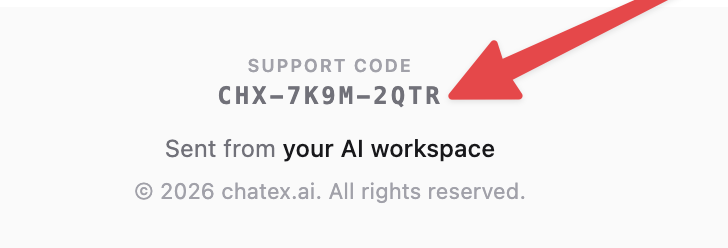
Формат коду має такий вигляд: CHX-XXXX-XXXX, наприклад CHX-7K9M-2QTR.
Де його шукати
Для платних користувачів код підтримки додається до вітального листа з темою Your Pro plan is ready.
Приклад вітального листа:
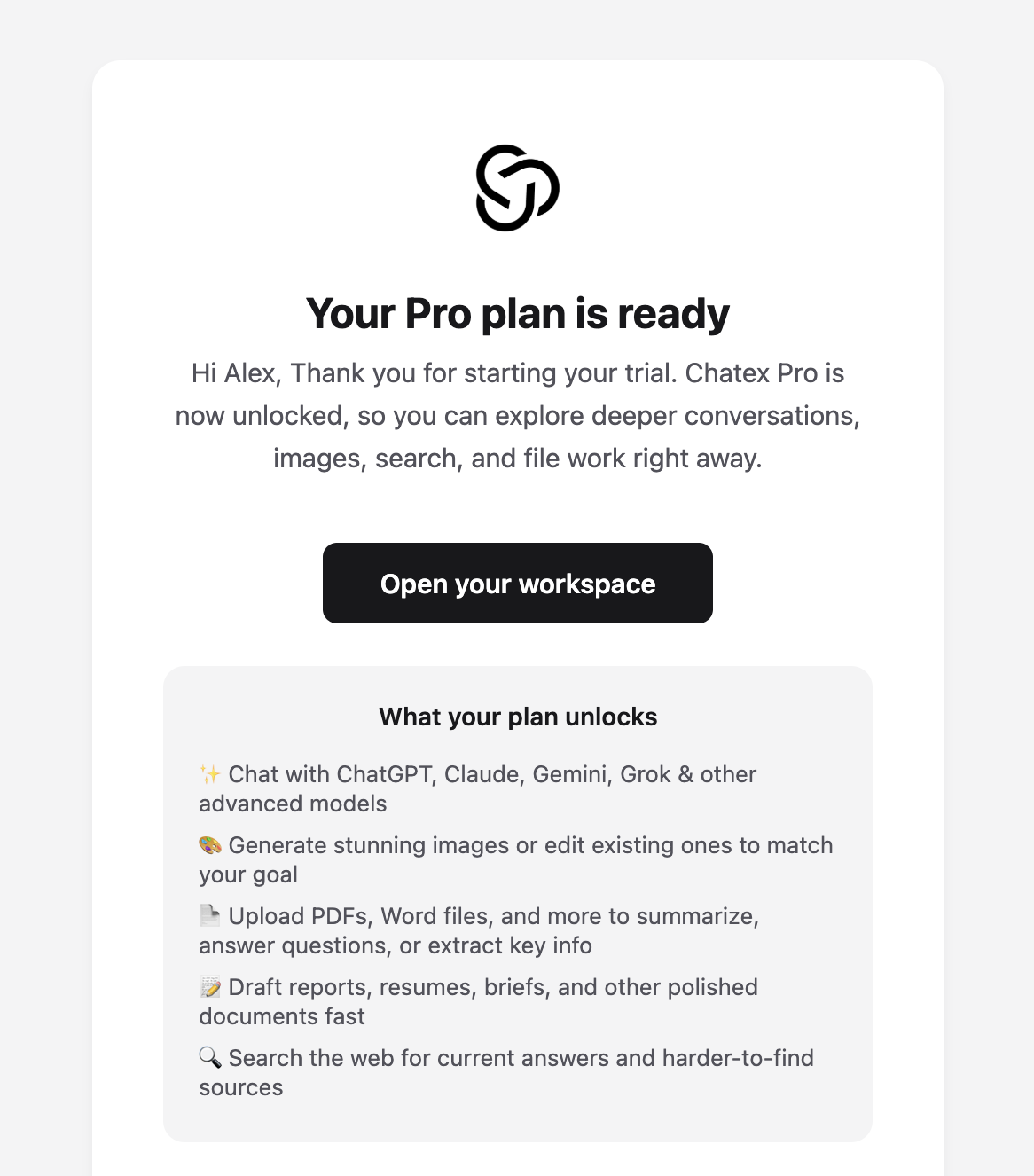
Відкрийте лист із темою Your Pro plan is ready.
Прокрутіть униз до самого футера листа.
Знайдіть позначку Support code.
Ваш код розміщений безпосередньо під цією позначкою, над рядком Sent from your AI workspace.
Крупний план футера, де показується код підтримки:
Якщо ви починали з платного пробного періоду, у цьому ж листі також може бути згадка, що ваш пробний період уже стартував. Код підтримки все одно показується внизу цього вітального листа.
Не можете знайти лист?
Пошукайте у вхідних лист Your Pro plan is ready або Support code.
Перевірте папки спаму, небажаної пошти та промоакцій.
Якщо ви оплачували з іншої електронної адреси, перевірте й ту скриньку.
Якщо ви все одно не можете його знайти, напишіть на Підтримка і додайте будь-які платіжні дані, які у вас є, щоб ми могли допомогти.