¿Qué es el código de soporte de Chatex?
Tu código de soporte de Chatex es un identificador corto de la cuenta que ayuda a nuestro equipo a localizar más rápido la cuenta de pago correcta cuando contactas con soporte por cuestiones de facturación o suscripción.
El formato tiene este aspecto: CHX-XXXX-XXXX, por ejemplo CHX-7K9M-2QTR.
Dónde encontrarlo
Para los usuarios de pago, el código de soporte aparece en el correo de bienvenida con el asunto Your Pro plan is ready.
Ejemplo del correo de bienvenida:
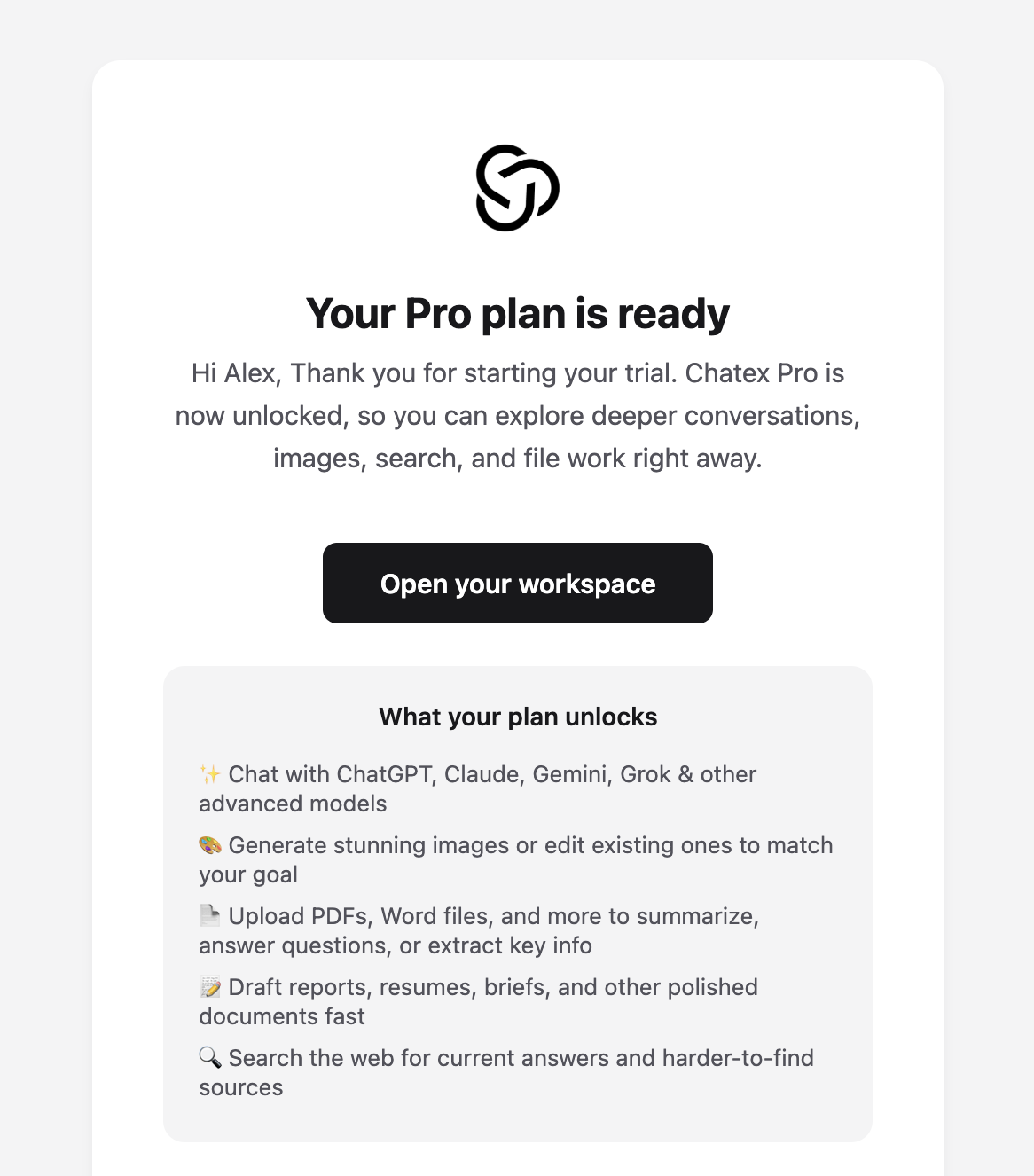
Abre el correo con el asunto Your Pro plan is ready.
Desplázate hasta la parte más baja del pie del correo.
Busca la etiqueta Support code.
Tu código aparece justo debajo de esa etiqueta, encima de la línea Sent from your AI workspace.
Primer plano de la sección del pie donde aparece el código de soporte:
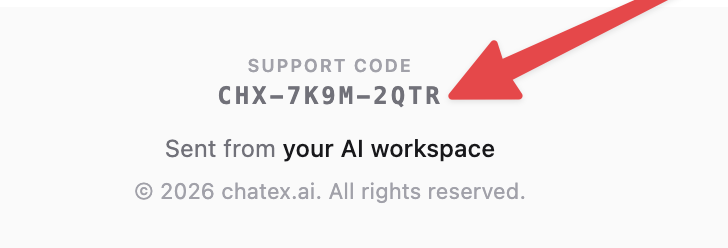
Si empezaste con una prueba de pago, puede que ese mismo correo también indique que tu prueba ya ha comenzado. El código de soporte sigue apareciendo al final de ese correo de bienvenida.
¿No encuentras el correo?
Busca en tu bandeja de entrada Your Pro plan is ready o Support code.
Revisa las carpetas de spam, correo no deseado y promociones.
Si pagaste con otra dirección de correo, revisa también esa bandeja.
Si sigues sin localizarlo, contacta con Soporte e incluye los datos de facturación que sí tengas para que podamos ayudarte.