What is the Chatex Support Code?
Your Chatex Support Code is a short account identifier that helps our team locate the correct paid account faster when you contact support about billing or subscription issues.
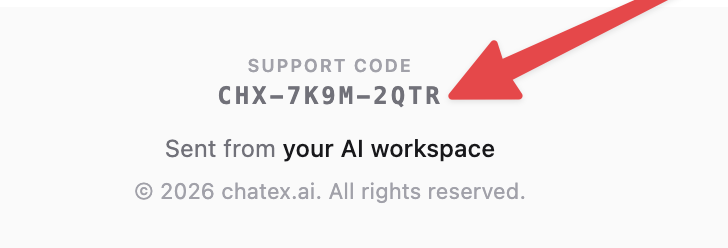
The code format looks like CHX-XXXX-XXXX, for example CHX-7K9M-2QTR.
Where to find it
For paid users, the support code is included in the welcome email with the subject Your Pro plan is ready.
Example of the welcome email:
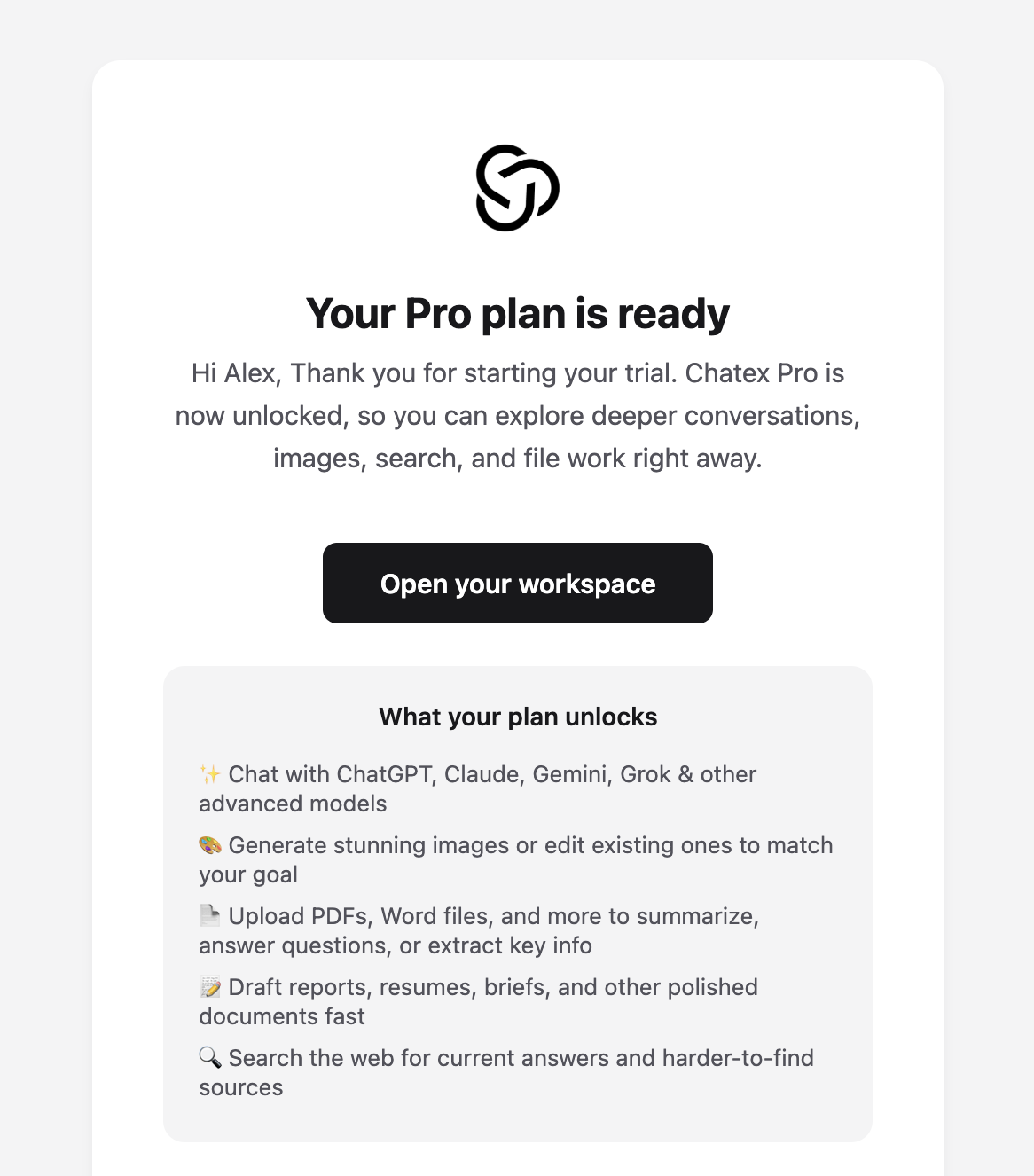
Open the email with the subject Your Pro plan is ready.
Scroll to the very bottom of the email footer.
Look for the label Support code.
Your code appears directly under that label, above the line that says Sent from your AI workspace.
Close-up of the footer section where the support code appears:
If you started with a paid trial, the same email may also mention that your trial has started. The support code is still shown at the bottom of that welcome email.
Cannot find the email?
Search your inbox for Your Pro plan is ready or Support code.
Check your spam, junk, and promotions folders.
If you paid with a different email address, check that inbox too.
If you still cannot locate it, contact Support and include any billing details you do have so we can help.